A wish box for Minecraft builders
Type what you want. Blocksmith draws it and puts it straight into your Minecraft folder — no unzipping, no account, no chat.
Get Blocksmith — $5.99 a monthmacOS & Windows · nothing else to install · cancel any time


“a big stone castle with four towers”
Blocksmith is a small app that runs on your own computer. It takes one sentence and turns it into real game files — a 64×64 skin, a 57-texture pack, a building with rooms and furniture inside, or a whole adventure world with paths and landmarks. Then it writes them into the right folders for you.
Every pixel and every block is drawn by the app itself. Nothing is downloaded from strangers and nothing is copied from anyone. With AI wishes (players 13 and up) it makes whatever you can describe — a submarine, a jellyfish, your dog.
See what it makes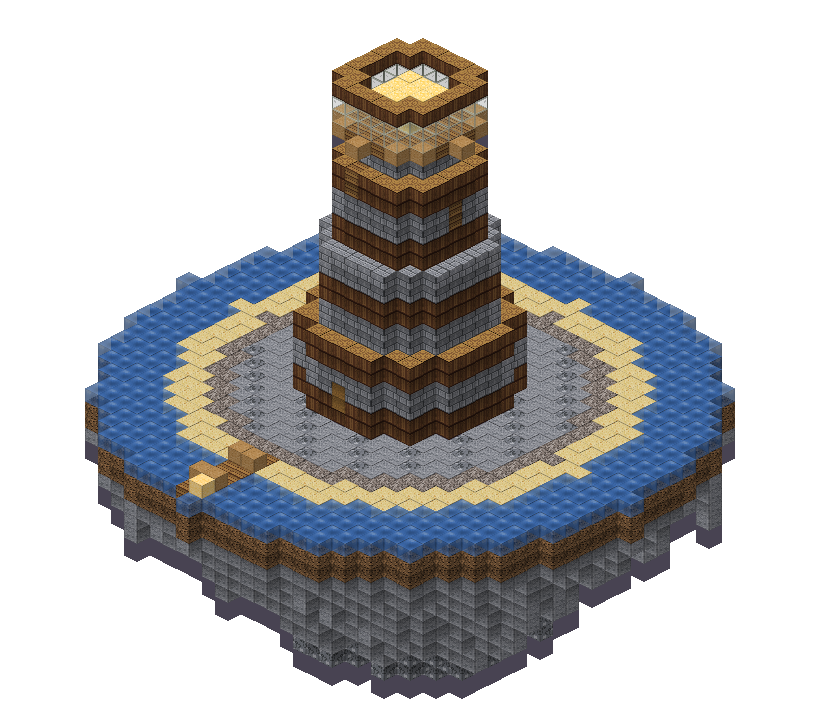
A building doesn't have to appear all at once. Run the watch command and it goes up in front of you, course by course, while the camera flies slowly around it. It is the best minute in the whole app, and it is the thing people screenshot.
Scroll, and it builds ↓
The grass and trees go first, then a pillar drops from every edge column until it meets solid rock — so on a hillside it stands on legs of its own stone.
Each course is laid in a slow sweep around the centre, so it reads as a crew working their way round rather than a layer blinking into existence.
Fittings, glass and light go in last, the same order a real build would take. When the final lantern lands, it is yours to walk into.
Stand where you want it and run
/function blocksmith:watch. A castle takes about forty-five seconds; a whole
adventure world takes about ninety. Don't like what came out? Every choice it made is a
control — press Make it again and it regenerates instantly, with no internet.
The build order, drawn by Blocksmith's own renderer — the same blocks, in the same order the game lays them down.
Pick what to make, type what you want, and it appears. Everything below came out of the generator exactly as you see it.
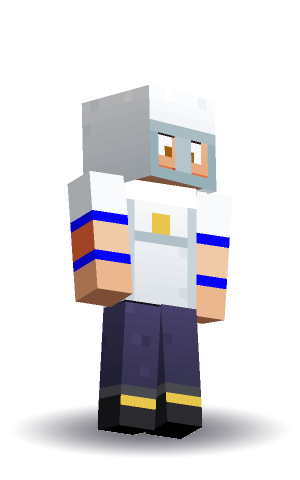
A 64×64 character with real pixel-art shading — seven hair styles, five faces, seven tops, and extras from crowns to backpacks to wings.
Fifty-seven textures in one palette: every common block, six ores, animated water and lava, and sixteen things you hold. Unpixller redraws the lot in crisp HD, up to 128×.
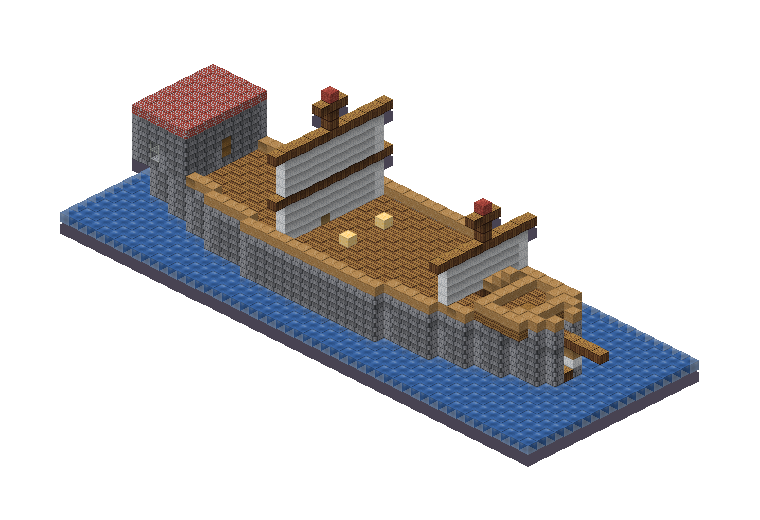
Castles, ships, windmills and mines with real insides — and with AI wishes, anything else: planes, trains, dragons, giant cats, birthday cakes.
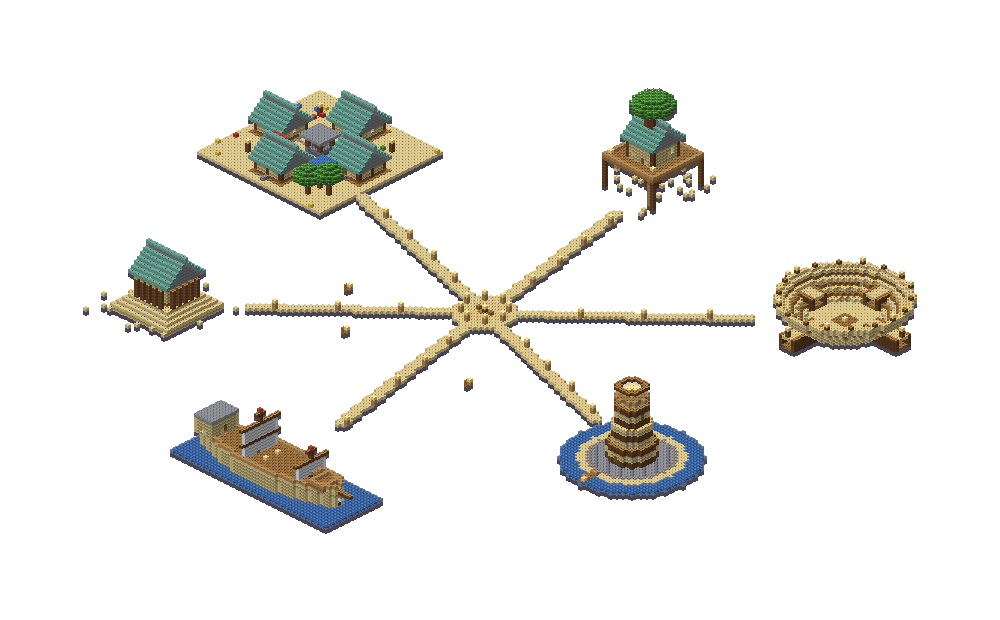
A plaza you spawn in, lamp-lit paths out to six landmarks, chests along the way. One wish, a whole place to explore.
Drop in a drawing or a photo of your own and it becomes pixel art in blocks, standing up or flat as map art — or the AI builds what's in a photo, in 3D.
Add a MIDI file and it builds a working note block machine that plays it — every note on time, checked tick by tick before you get it. Java Edition.
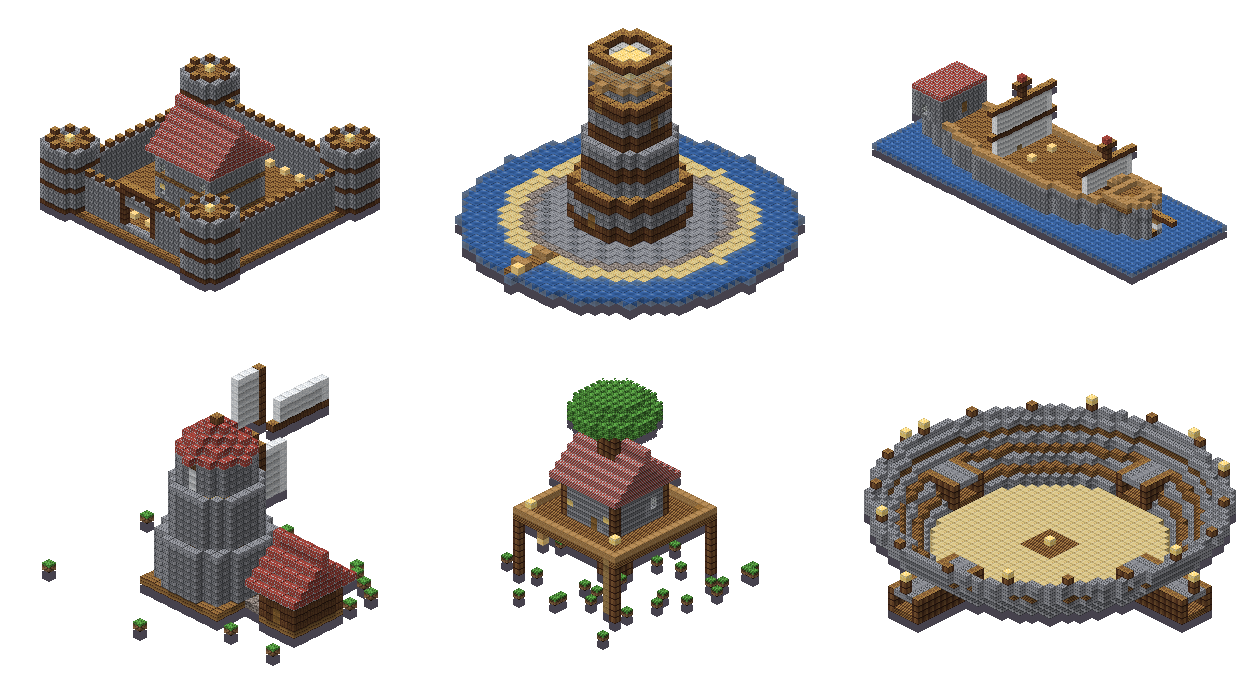
Two of the things people make most, both done right on your own computer.

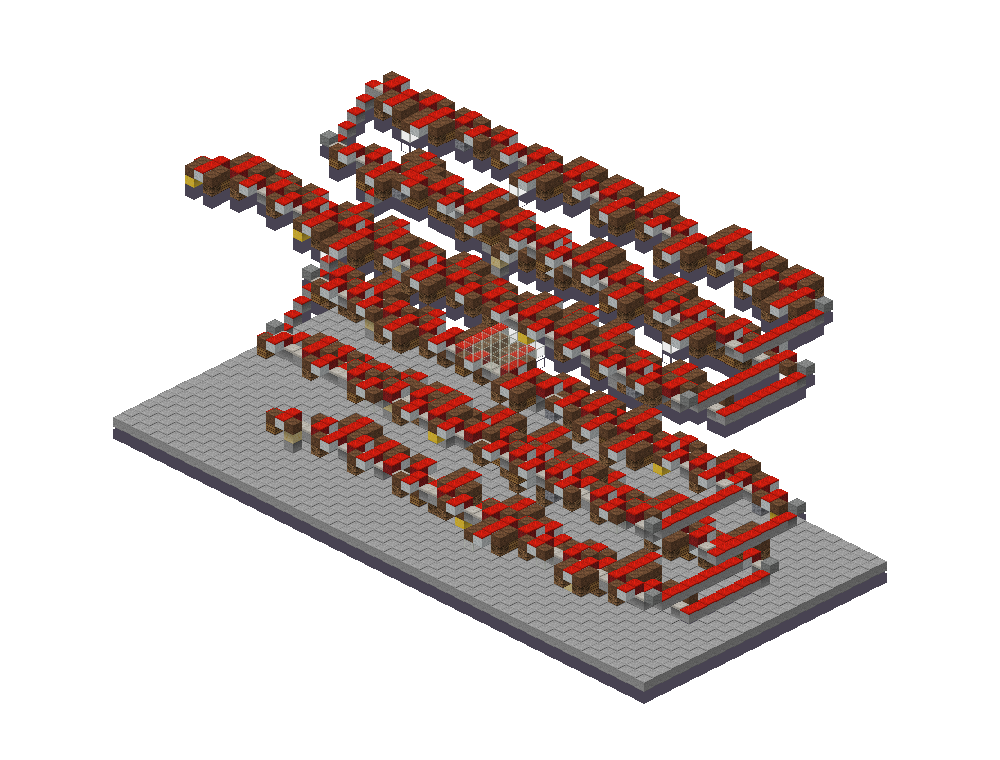
Run /function blocksmith:play and you're
stood on a glass floor in the middle of the machine while it plays.
Eight skins from eight sentences. Hair, face, clothes and up to three extras, drawn pixel by pixel and dropped straight into the skins folder. Swipe along.
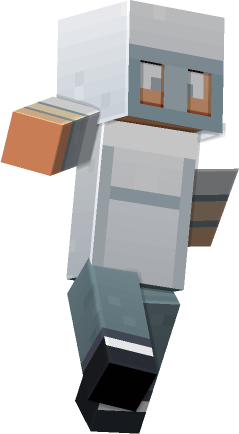
“a knight in silver armour and a helmet”
Knight Silver
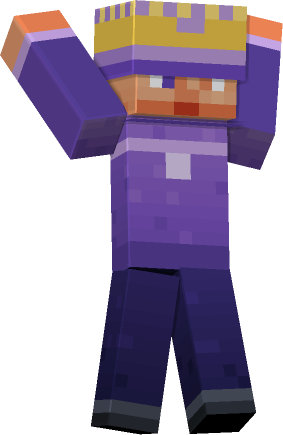
“a wizard in a purple robe and a crown”
Wizard Purple
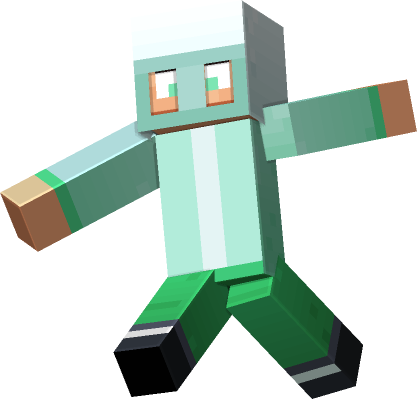
“an astronaut in a mint spacesuit”
Astronaut Mint
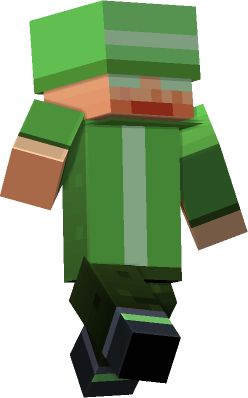
“an explorer with goggles and a wide hat”
Explorer Goggles
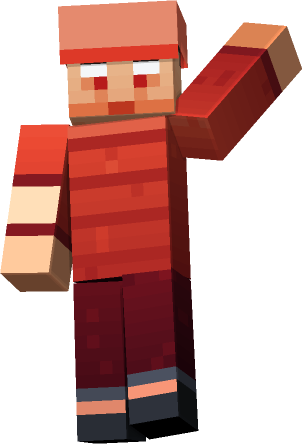
“a pirate captain in red with a cap”
Pirate Captain
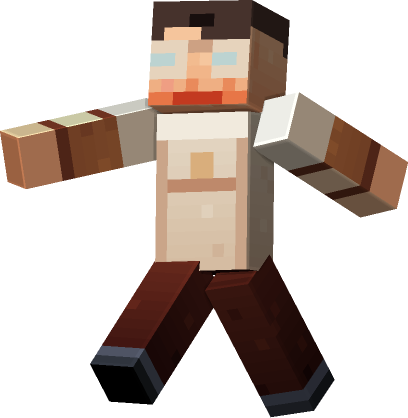
“a diver in copper armour and goggles”
Diver Copper
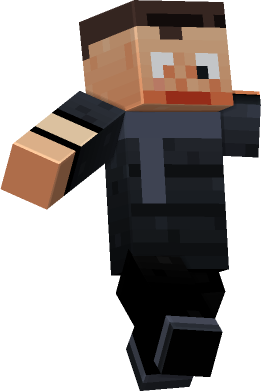
“a ninja in black with a scarf”
Ninja Black
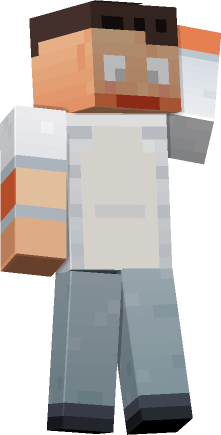
“a chef in white with an apron”
Chef White
And every block they stand on can be theirs too — fifty-seven textures in one palette, animated water and lava included.

Three real wishes, and what Blocksmith made from each of them.
It runs on your own machine, it is deliberately not a chat app, and it asks you for nothing.
AI wishes are read by Claude, an AI made by Anthropic, but there is no conversation. A wish goes in and a small fixed form comes back — colours, a shape, blocks from a list — checked by Blocksmith before anything is drawn.
No name, no email, no sign-in to play. Your Blocksmith code identifies a subscription, not a person.
Under 13? AI wishes stay off and Blocksmith reads wishes itself, on your computer. The only thing it sends is a check that the plan is active.
It refuses to copy brands and characters, and every texture and block is drawn by the app itself.
One window. Type a wish on the left, see what came out on the right, press the button that puts it in the game. Every choice it made is a control underneath, so nothing is a dead end — and you can drag the preview to turn a character right round and see it from any side before it goes anywhere near your world.

Everything Blocksmith makes, and the AI that makes it, for one monthly price.
US dollars; you pay in your own currency at checkout, with any tax added there. Bought by an adult (18+) through Stripe's secure checkout. By subscribing you agree to the terms.
Blocksmith is made by one person. Tell them and they'll answer.
Subscribe, and the next page gives you your code and the download for Mac or Windows. Open Blocksmith, paste the code, and start making.
Runs on Mac (Apple Silicon and Intel) and Windows. Java Edition installs in one
click; Bedrock .mcpack files are written to your Downloads folder to move across yourself.
The first time you open it, Windows may say it doesn't recognise the app:
choose More info then Run anyway. On a Mac, if it says it can't check the
app, open System Settings → Privacy & Security and choose Open Anyway.
Yes. AI wishes are read by Claude, an AI made by Anthropic — that's how it can make a submarine or a jellyfish it has never seen. It isn't a chat: the wish is checked on your computer first, the AI only fills in a small form of colours and shapes, and Blocksmith checks that against a fixed list before anything is drawn. AI wishes are for players 13 and up.
No. Blocksmith is $5.99 a month, and you can cancel any time. That pays for the AI and keeps the app getting better.
Follow the "Manage or cancel" link on the page you saw after paying, or on any receipt email, and cancel in Stripe's page. It stops at the end of the month you've paid for.
Builds go in as a datapack and only place blocks where you run the command. Texture packs install alongside your existing ones and the old settings file is kept as a backup.
Blocksmith writes Bedrock .mcpack files to your Downloads folder for skins,
texture packs and builds. The one-click install, and song machines, are Java Edition only.
No, and it is not endorsed by them. Blocksmith is an independent tool that makes original files for a game you already own.
 BLOCKSMITH